Blue Iris – Real Configuration Examples
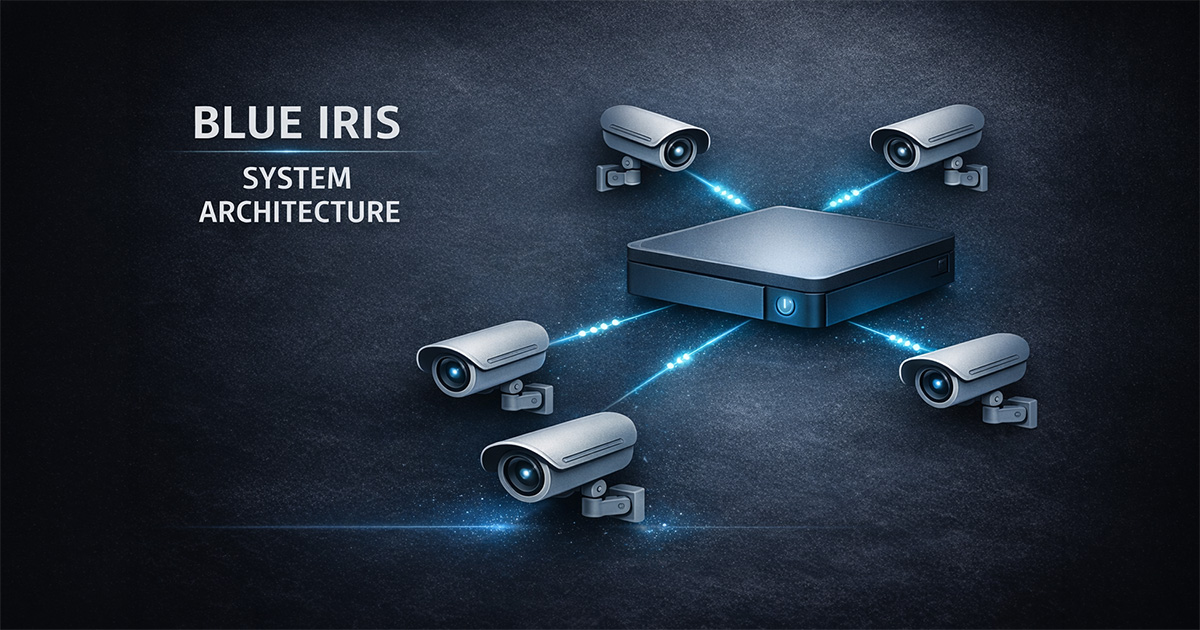
🔹 Overview
This page shows real Blue Iris configuration screens with practical context.
The goal is not to document every setting — but to highlight what actually matters.
🎥 Camera Connection
Network Configuration
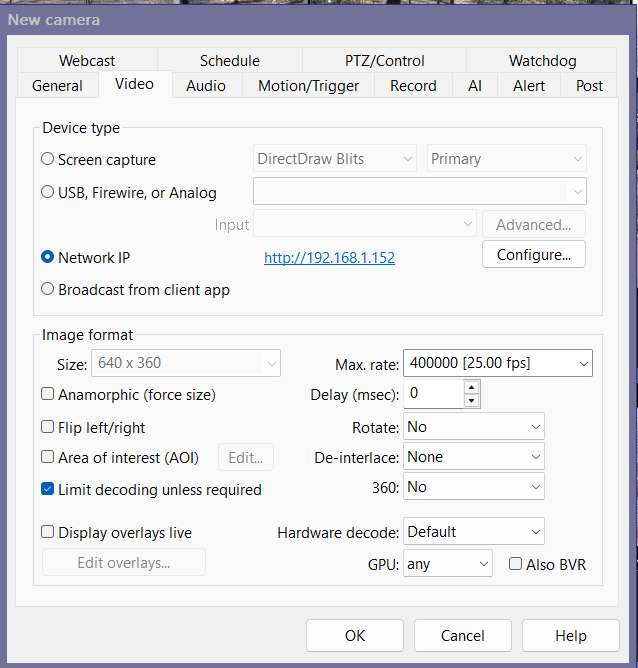
What matters:
- RTSP port (typically 554)
- ONVIF port (typically 8000)
- Correct stream profiles (main / sub)
- Stable connection and clean credentials
🎬 Video Settings
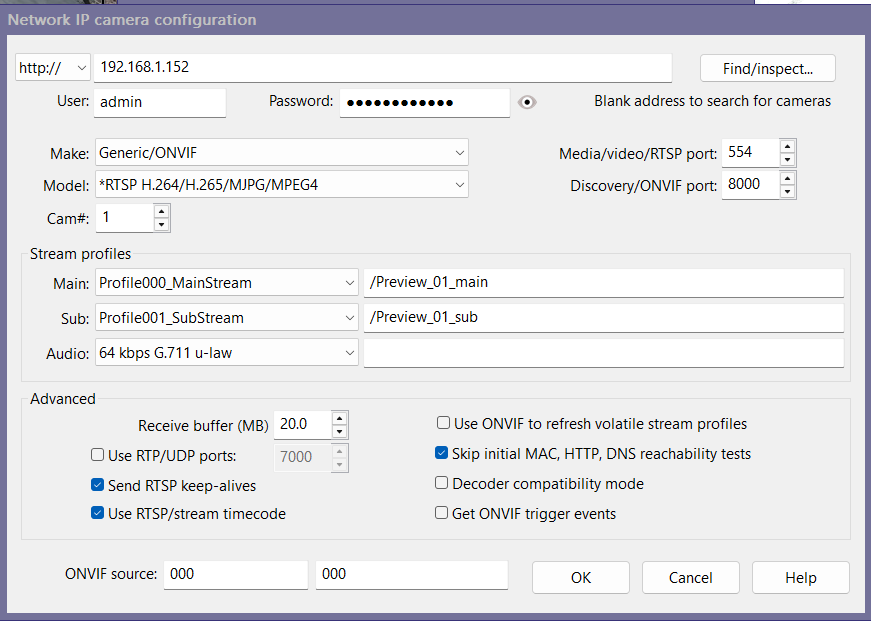
What matters:
- Resolution appropriate to the scene
- FPS around ~15
- Hardware decode behavior
- Limit decoding unless required
💾 Recording
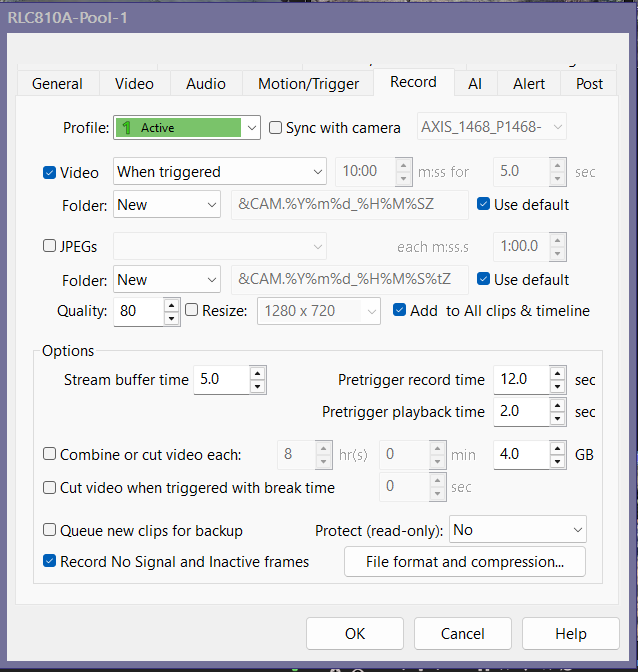
What matters:
- Direct-to-disk enabled
- Pre-trigger recording set correctly
- Correct folder (typically New)
- No unnecessary re-encoding
🚨 Motion Detection
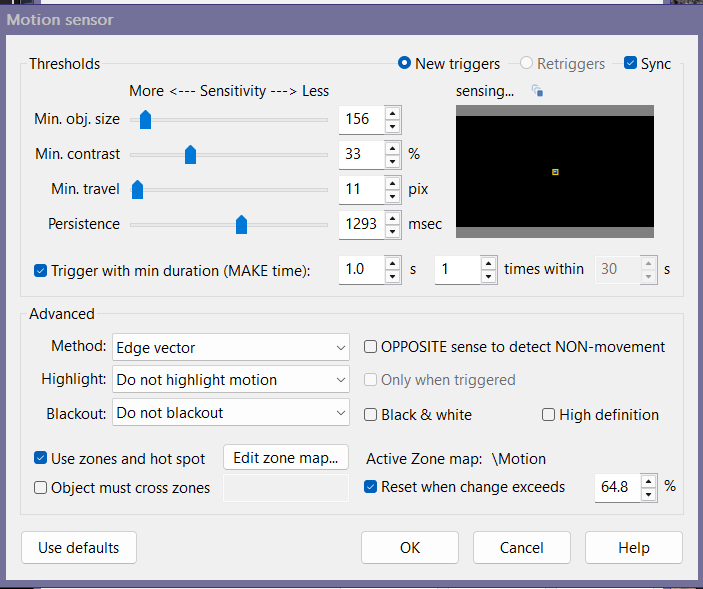
What matters:
- Object size and contrast tuned
- Zones defined intentionally
- Noise reduced before AI is enabled
- Real events validated
⚡ Trigger Behavior
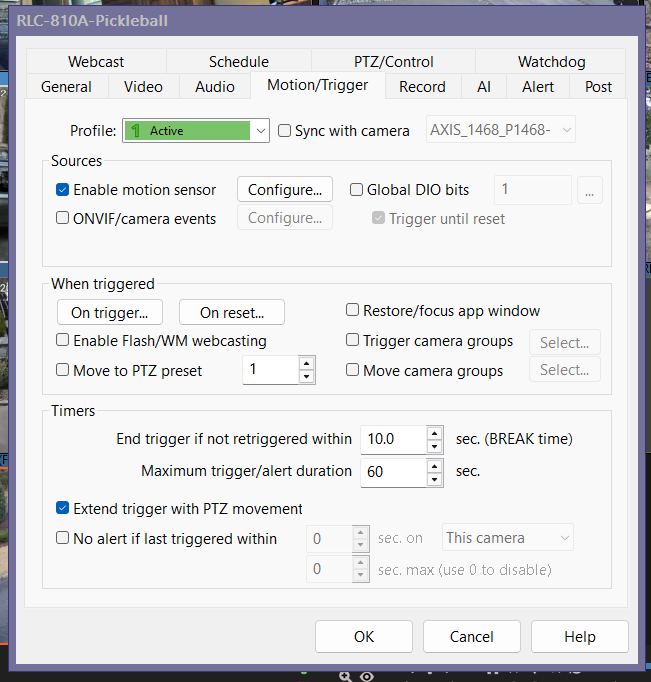
What matters:
- Motion sensor enabled
- Break time is reasonable
- Trigger logic is simple and predictable
- Avoid over-triggering
🤖 AI Confirmation
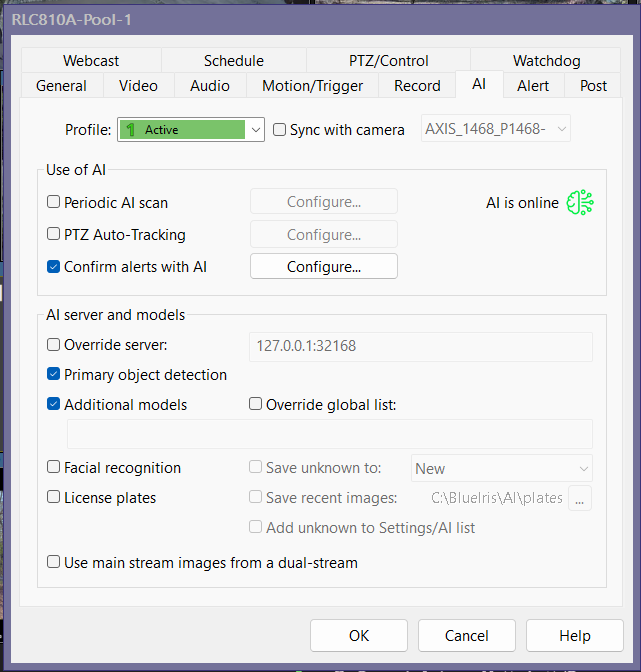
What matters:
- Confirm alerts with AI enabled when appropriate
- Primary object detection enabled
- Additional models only if needed
- AI confirms events — it does not replace motion tuning
🔔 Alerts
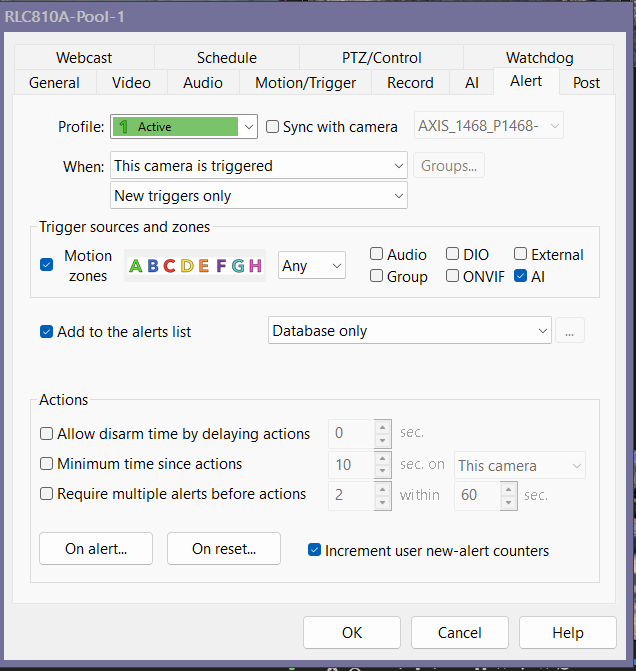
What matters:
- Add to alerts list enabled
- Alert chain is correct
- Keep logic simple early
- Test delivery separately
🧠 Key System Insight
Motion → Recording → AI → Alerts
If something fails, the problem is usually earlier in the chain.
⚠️ Common Mistakes
- Tuning AI before motion works
- Overcomplicating alerts
- Using maximum settings everywhere
- Ignoring system performance impact
✅ Result
A real-world reference for how a stable Blue Iris system is configured and validated.