Blue Iris – Real World Operation
Overview
This page shows how a real Blue Iris system behaves in production.
The focus is on:
- visibility
- detection
- AI confirmation
- storage flow
🎥 Live System View

What this shows
- Multi-camera grid
- System status at a glance
- Real-world lighting and conditions
- Offline / disabled cameras visible
🚨 Motion Detection (Real Example)
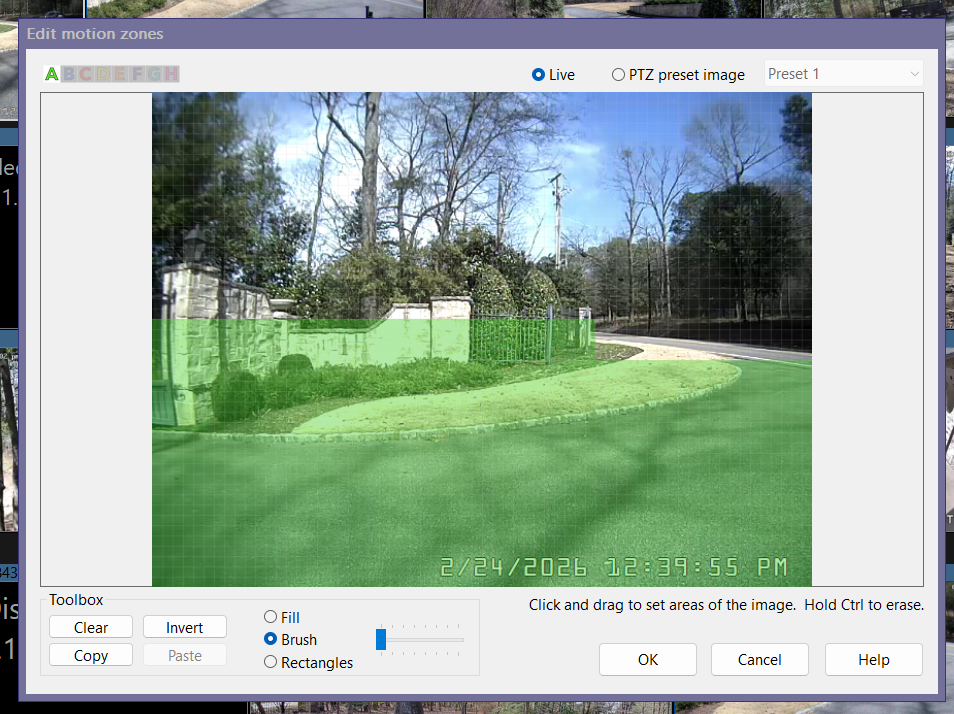
What matters
- Zones define what matters (not the whole image)
- Background noise is excluded
- Scene design matters more than sensitivity
👉 This is where most systems succeed or fail
🤖 AI Processing (GPU Enabled)
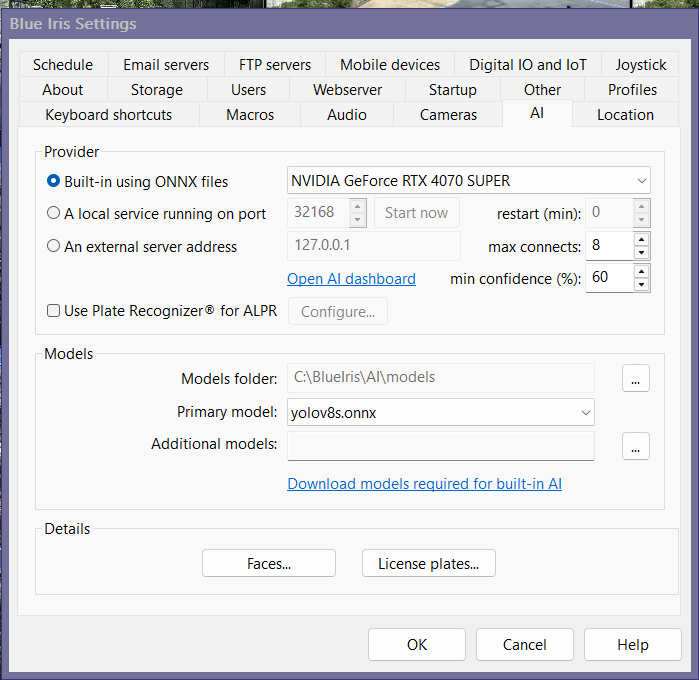
What matters
- GPU acceleration improves performance
- Confidence thresholds control noise
- AI confirms events — it does not replace motion
💾 Storage Flow
New (Short-Term)
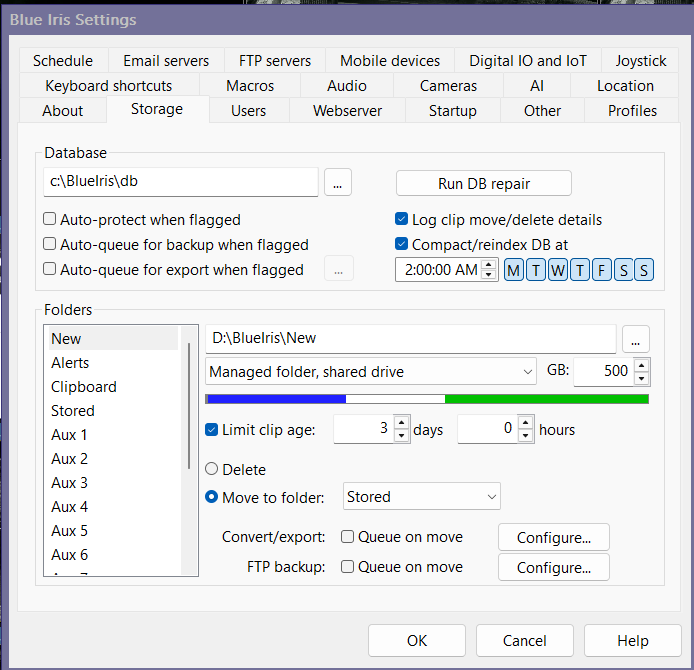
- Active recording location
- Short retention window
- High activity
Stored (Long-Term)
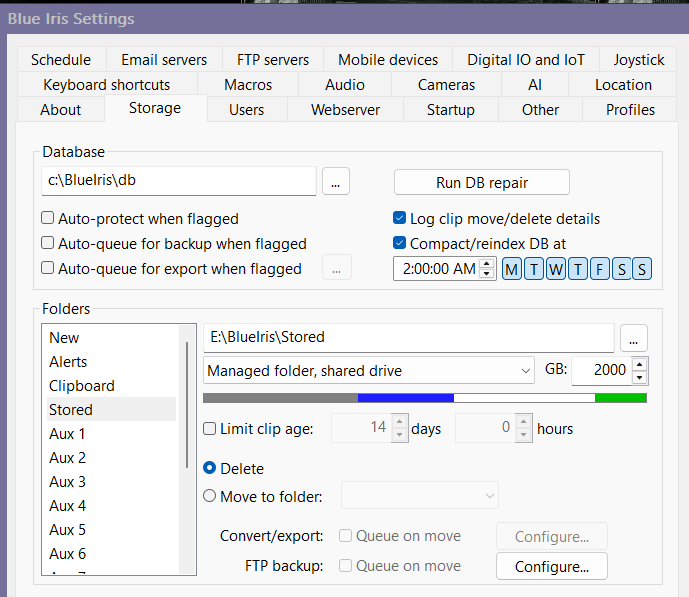
- Longer retention
- Lower churn
- Clean archive behavior
🧠 System Insight
Every working system follows this flow:
Camera → Motion → Recording → AI → Alerts → Storage
If something breaks:
👉 The problem is almost always earlier in the chain
⚠️ What Separates a Good System
Good System
- Clean motion zones
- Reasonable FPS
- Controlled storage
- Selective AI
Bad System
- Full-frame motion
- Maximum settings everywhere
- AI used as a band-aid
- No storage strategy
📊 Related Pages
✅ Result
A real-world reference for how a stable Blue Iris system behaves in production — from detection through storage.